Managing code locations with Definitions
A code location is a collection of Dagster definitions loadable and accessible by Dagster's tools, such as the CLI, UI, and Dagster+. A code location comprises:
- A reference to a Python module that has an instance of
Definitionsin a top-level variable - A Python environment that can successfully load that module
Definitions within a code location have a common namespace and must have unique names. This allows them to be grouped and organized by code location in tools.
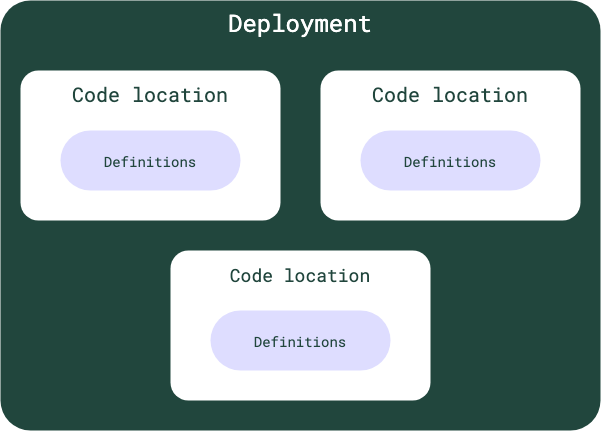
A single deployment can have one or multiple code locations.
Code locations are loaded in a different process and communicate with Dagster system processes over an RPC mechanism. This architecture provides several advantages:
- When there is an update to user code, the Dagster webserver/UI can pick up the change without a restart.
- You can use multiple code locations to organize jobs, but still work on all of your code locations using a single instance of the webserver/UI.
- The Dagster webserver process can run in a separate Python environment from user code so job dependencies don't need to be installed into the webserver environment.
- Each code location can be sourced from a separate Python environment, so teams can manage their dependencies (or even their Python versions) separately.
Relevant APIs
| Name | Description |
|---|---|
Definitions | The object that contains all the definitions defined within a code location. Definitions include assets, jobs, resources, schedules, and sensors. |
Defining code locations
A Dagster project can be scaffolded using the create-dagster CLI. This will create a top-level variable that contains a Definitions object in a Python module.
Deploying and loading code locations
Local development
Dagster can load a project directly as a code location:
dg dev
This command loads the definitions in the project as a code location in the current Python environment.
Fore more information about local development, including how to configure your local instance, see "Running Dagster locally".
Dagster+ deployment
See the Dagster+ code locations documentation.
Open source deployment
The workspace.yaml file is used to load code locations for open source (OSS) deployments. This file specifies how to load a collection of code locations and is typically used in advanced use cases. For more information, see "workspace.yaml reference".
Troubleshooting
| Error | Description and resolution |
|---|---|
| Cannot have more than one Definitions object defined at module scope | Dagster found multiple Definitions objects in a single Python module. Only one Definitions object may be in a single code location. |